As an Amazon Associate this site earns from qualifying purchases.
Quick Picks
| Frame | What the listing publishes | Best suited to | Link |
|---|---|---|---|
| BIGASUO Digital Picture Frame | 10.1", 1280x800 IPS touch, 32GB, Frameo app, photo/video sending | The most complete published spec set here | Check Price on Amazon |
| Frameo 10.1 Inch WiFi Digital Photo Frame | 10.1", 1280x800 IPS HD touch, 32GB, auto-rotate, wall mount | Anyone hanging the frame on a wall | Check Price on Amazon |
| 32GB FRAMEO 10.1 Inch Smart WiFi Digital Photo Frame 1280x800 IPS LCD Touch Screen | 1280x800 IPS LCD touch, 32GB, auto-rotate portrait and landscape, Frameo app | Mixed portrait-and-landscape photo libraries | Check Price on Amazon |
| Frameo 10.1 inch Digital Picture Frame WiFi Smart Digital Photo Frame Wood | 10.1", Wi-Fi, Frameo, wood finish | Rooms where the frame has to look like furniture | Check Price on Amazon |
| FRAMEO Digital Picture Frame,10.1" Digital Photo Frame WiFi with 32GB | 10.1", Wi-Fi, 32GB | Buyers who care about storage and app delivery only | Check Price on Amazon |
| Frameo Digital Picture Frame, 10.1'' WiFi Electronic Photo Frame, Gift Idea | 10.1", Wi-Fi, Frameo | The thinnest published spec sheet of the six | Check Price on Amazon |
Disclosure: We earn a small commission from qualifying Amazon purchases at no extra cost to you.
As an Amazon Associate we earn from qualifying purchases. This page contains affiliate links, and we may receive a commission if you buy through them — at no extra cost to you.
As an Amazon Associate, we earn from qualifying purchases.
Last Updated: September 2026
This wifi digital photo frame buying guide exists because this is one of the easiest categories on Amazon to shop badly. Look at the search results and you will find dozens of 10-inch frames whose listings read almost identically, many with no brand name you recognise, and several that publish fewer specifications than a phone case does. The frames themselves are frequently near-identical hardware running the same third-party app, so the thing that actually separates a good purchase from a bad one is knowing which published specification matters and which one is decoration.
Here is what this guide covers: how photos actually reach the frame (the single most important decision), what a 1280x800 panel means at 10.1 inches, why onboard storage is rarely the constraint people think it is, the mistakes that turn a thoughtful gift into a drawer ornament, and six specific Amazon listings read closely so you can see exactly how much — and how little — each one commits to in writing.
One thing up front, because it changes how you should read everything below: this website does not do product research. Nothing here was unboxed, mounted, powered on or measured. What follows is a close reading of published listing data, plus the conclusions that data genuinely supports.
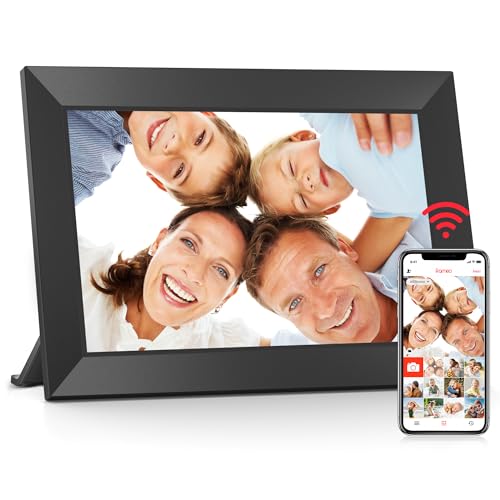
- [Frameo Digital Frame WiFi] Trusted by millions of users worldwide, Frameo offers a secure and private way to share memories. Powered by professional photo management technology
- [Quick Setup, Easy to Use] Designed with a user-friendly touchscreen, suitable for all ages. Setup takes only a few minutes. With the free Frameo app (available for iOS and
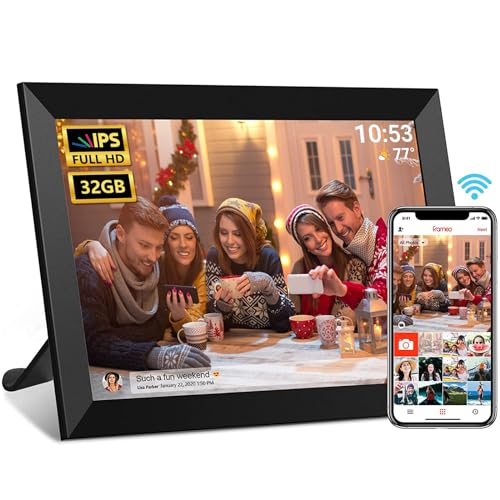
- 【10.1 Inch HD IPS Screen】Unparalleled Image Quality: Frameo Cloud Digital Picture Frame equipped with a high-definition 10.1-Inch large screen with a resolution up to 1280×800
- 【Frameo Wi-Fi Digital Photo Frame】Built-in Wi-Fi network (Note: Only works with 2.4GHz WiFi), the frame supports receiving pictures and videos (max. 15 seconds) from anywhere in
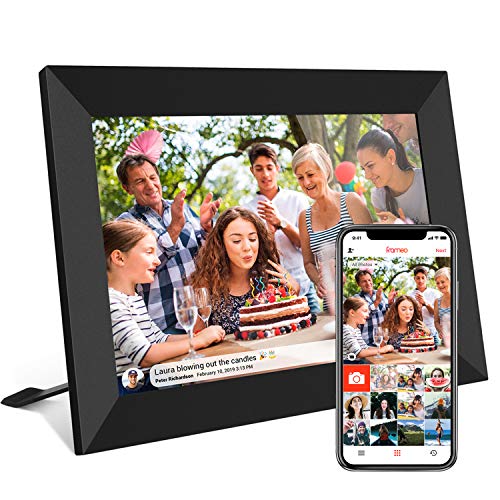
- 【SHARE PHOTOS AND VIDEO PRIVATELY, SAFELY】 Send photos or small videos (Max.15 seconds) directly to FRAMEO APP from anywhere in the world, friends and family can enjoy your
- 【IPS HD TOUCH SCREEN】 This 10.1” digital picture frame is featured with 1280*800 Resolution IPS touch screen which allows you to get a nice visual from any angle. Even at a
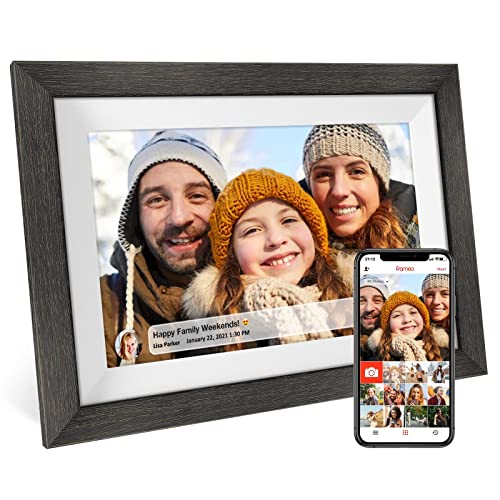
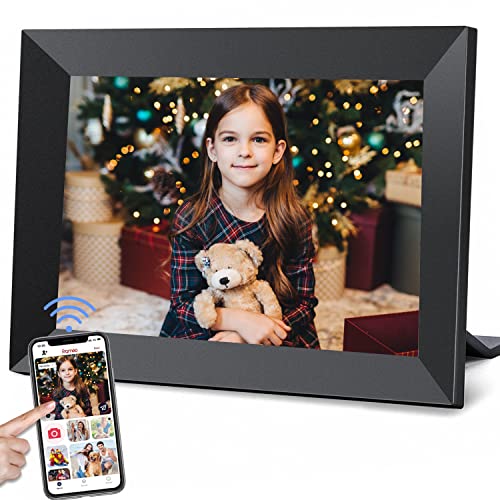
- Share Photos And Video Privately,Safely:With the app "Frameo" (available for download from Google Play and App Store), you can quickly and easily share your good time with your
- Auto-Rotate And Large 32GB Memory :YunQiDeer digital picture frame can automatically rotate photos to adjust the direction, allowing you to view the photos in either portrait or
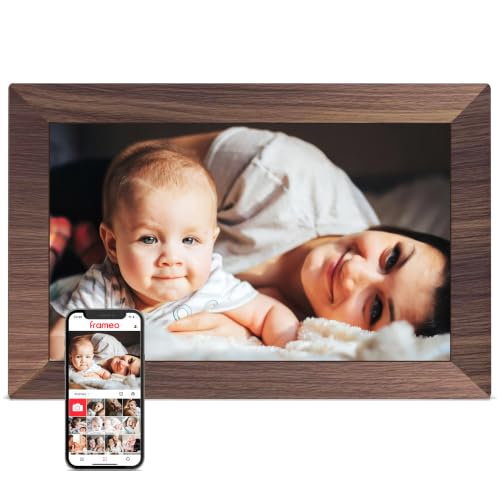
- Officially authorized by Frameo - the world's leading digital frame software trusted by over 25 million families, Pastigio picture frames offer a secure and private way to share
- No WiFi? No Problem! Our digital picture frames has 32GB built-in memory, enables you to share 50,000+ photos. Besides, it also supports non-WiFi transmission, you can easily
What Is a Wi-Fi Digital Photo Frame?
A Wi-Fi digital photo frame is a screen with an internet connection and a companion app, so photos can be pushed to it remotely instead of loaded from a memory card by hand. That is the whole idea. The recipient never manages files; the sender opens an app, picks images, and they appear on a frame that might be a thousand miles away.
That remote-delivery model is why this category exists at all, and it is why the app matters more than the hardware. Every listing in this guide names Frameo as the delivery platform, which tells you these frames are competing on screen, storage and finish rather than on software.
Types of Wi-Fi Digital Photo Frames Explained
| Type | How photos get on it | Best for | The catch |
|---|---|---|---|
| Third-party app frames (Frameo platform) | Senders install the same app the frame uses and push images over the internet | Families spread across multiple households and phone platforms | You are dependent on an app maintained by someone other than the frame's brand |
| Brand-owned cloud frames | The manufacturer runs its own app and cloud service | Buyers who want one company accountable for hardware and software together | Service continuity and any ongoing fees are tied to that one company |
| Local-media frames | SD card or USB stick, loaded manually | A frame that never touches your network | Someone has to physically visit to change the photos — the exact problem Wi-Fi frames solve |
| Repurposed tablet | A photo app on a tablet you already own | Cheapest possible route if the hardware already exists | Sleep behaviour, notifications and charging make it a fiddly permanent display |
All six frames covered here sit in the first row. If you specifically want the second category, that is a different shopping trip — see our cloud photo frames for grandparents roundup for how the trade-offs shift.
Key Features to Look For, Ranked by Importance
1. How photos actually reach the frame
This outranks everything. A frame that requires the recipient to do anything beyond looking at it has already failed if the recipient is the reason you bought it. Every listing here identifies Frameo as the app, so the sender-side experience should be consistent across all six — that is a genuine advantage of buying into a shared platform rather than a one-off proprietary app.
The question to ask yourself is whether the people who will send photos are willing to install a specific app. If your family already coordinates over a group chat, adding one more app is a real friction point worth thinking through before you buy.
2. Panel resolution and type
Four of the six listings publish a panel spec, and it is the same one: 1280x800 IPS. Do the arithmetic and a 1280x800 panel on a 10.1-inch diagonal works out to roughly 149 pixels per inch. That is not phone-screen sharp, but a photo frame is viewed from across a room rather than at arm's length, and at normal viewing distance the pixel structure is far less of an issue than it would be on a handheld device.
IPS is the more meaningful word in that spec string. It is the panel technology associated with wide viewing angles and stable colour off-axis, which matters enormously for something that sits on a sideboard and gets looked at from every direction in the room. A frame you can only see properly from directly in front is a frame that mostly looks washed out.
3. Aspect ratio, which almost nobody checks
1280x800 is a 16:10 aspect ratio. Phone cameras typically shoot 4:3 or 3:4. Those do not match, so most photos will either be letterboxed with bars or cropped to fill. Neither is a defect — it is geometry — but it is the single most common source of "why does it look like that" disappointment. If a sender frames a shot tightly, a fill-crop can lop off the top of someone's head.
4. Auto-rotate and orientation handling
Two listings here explicitly commit to auto-rotate, and one of them spells out portrait and landscape. If your photo library is a mix of both — and everyone's is — a frame that reorients when you turn it lets you at least choose which orientation dominates. Frames whose listings stay silent on this may still do it; silence just means nobody has promised it in writing.
5. Onboard storage
Four listings state 32GB. Honestly, storage is rarely the binding constraint on a photo frame. The practical limit is how many photos people actually bother to send, not how many the frame could hold. Treat 32GB as comfortable headroom rather than a feature to pay a premium for, and give more weight to the panel spec.
6. Touch versus button control
Several of these listings specify a touch screen. Touch is the friendlier interface for someone who does not want to hunt for buttons on the back of a frame, and it is how the on-frame Frameo controls are designed to be used. It also means fingerprints on the display surface — a real, minor, permanent annoyance.
7. Mounting and physical finish
Only one listing here names a wall mount, and only one names a wood finish. If the frame is going on a wall, buy the one that says so; if it is going in a room where a black plastic bezel would look wrong, buy the one that says wood. These are not trivial differentiators when every other spec is identical.
8. What the listing refuses to tell you
Read the gaps. None of the six listing titles here state a Wi-Fi band, screen brightness, speaker specification, motion sensor, warranty length or power draw. That does not mean those features are absent — it means nobody has committed to them in the text you are buying from. If a specification is not published, do not assume it in your favour.
Frameo vs Aura: What the Evidence Here Can and Cannot Settle
This comparison comes up constantly, so let's be straight about it. The verified product records available for this page cover six Frameo-platform frames and nothing else. There is no Aura listing data here, which means any spec-level comparison — panel, storage, service terms — would be invention rather than analysis, and this guide will not do that.
What the evidence does support is a structural observation. Buying a Frameo-platform frame means the hardware brand and the app maker are different parties, and every one of these six listings leans on that same app name to sell the frame. Whether that separation is an advantage (many competing hardware options, one familiar sender experience) or a risk (no single company owns the whole chain) is a judgement call you should make deliberately rather than by accident.
Common Mistakes to Avoid
- Buying on screen size alone. "10 inch digital picture frame" is a search term, not a specification. Two 10.1-inch frames with different panel specs are different products.
- Assuming an unstated feature exists. If the listing does not say wall mount, do not plan to hang it.
- Shipping it to a grandparent unconfigured. The Wi-Fi setup is the one moment the recipient has to do something technical. Set it up at your house first if you possibly can.
- Treating storage capacity as the headline spec. 32GB is generous for still photos; it is not what determines whether the frame looks good.
- Ignoring aspect ratio. 16:10 versus 4:3 is why photos get cropped or bordered, and no amount of storage fixes that.
- Forgetting the network reality at the other end. A cloud frame is only as reliable as the recipient's home Wi-Fi, and reconnecting it after a router change is a support call you will personally receive.
- Buying the listing with the least information because it looks the same. A title that publishes a panel spec is a seller willing to be held to it. A title that publishes nothing has committed to nothing.
Budget Considerations: Good, Better, Best
A note on pricing: the verified product records behind this guide do not include price data, and Amazon pricing on this category moves constantly. So these tiers are built on published feature sets, not dollar figures. Check the live price on each listing before deciding — that is the only number that will be accurate when you read this.
Good — the minimum viable Wi-Fi frame. A 10.1-inch screen, Wi-Fi and Frameo delivery, with the rest of the spec sheet left blank. The Frameo Digital Picture Frame, 10.1'' WiFi Electronic Photo Frame, Gift Idea sits here: the listing establishes size, connectivity and app, and stops. That is a defensible buy only if the live price is meaningfully lower than the frames that publish more.
Better — storage plus a stated panel. This is where most buyers should land. Frames whose listings commit to 1280x800 IPS and 32GB give you something to hold the seller to, and IPS is the spec that most affects how the frame looks in a real room.
Best — a published panel spec plus a physical differentiator. Auto-rotate, a wall mount, or a wood finish on top of the 1280x800 IPS and 32GB baseline. You are not buying better image quality at this tier; you are buying a frame that fits how and where you actually intend to display it.
Our Top Recommendations
BIGASUO Digital Picture Frame — Best for buyers who want the fullest published spec sheet
Amazon's listing for the BIGASUO Digital Picture Frame states a 10.1-inch 1280x800 IPS touch screen, 32GB of memory, Frameo app delivery, and the ability to send photos and videos from a phone. That is more detail than most of this category commits to, and it is also the only one of the six that leads with a manufacturer brand name rather than the app name — a small signal that a specific company is putting its name on the box.
The explicit mention of videos matters. If your family sends short clips rather than only stills, a listing that names video sending is worth more to you than one that does not.
Pros: the most complete specification set of the six listings here; brand-named rather than app-named; explicitly covers video as well as photos.
Cons: the listing title says nothing about wall mounting, so plan on stand placement; no brightness, Wi-Fi band or warranty figure is published, and 149 pixels per inch is a modest density if you intend to view it up close.
Frameo 10.1 Inch WiFi Digital Photo Frame — Best for wall mounting
Amazon's listing for the Frameo 10.1 Inch WiFi Digital Photo Frame states a 10.1-inch 1280x800 IPS HD touch screen, 32GB of storage, auto-rotate, and a wall mount. It is the only frame in this set whose listing names wall mounting, which makes the decision easy if the frame is going up rather than on a surface.
Pair that with auto-rotate and you get a frame that can be hung in either orientation and still display a photo library that mixes portrait and landscape shots. That combination is the actual reason to pick this one.
Pros: the only listing here that commits to a wall mount; auto-rotate is stated; matches the 1280x800 IPS and 32GB baseline.
Cons: the listing does not specify what mounting hardware is included or what wall types it suits, and there is no published figure for brightness — a wall-mounted frame in a bright room is exactly where brightness would matter most.
32GB FRAMEO 10.1 Inch Smart WiFi Digital Photo Frame 1280x800 IPS LCD Touch Screen — Best for mixed portrait and landscape libraries
Amazon's listing for the 32GB FRAMEO 10.1 Inch Smart WiFi Digital Photo Frame states a 1280x800 IPS LCD touch screen, 32GB of built-in memory, auto-rotate between portrait and landscape, and sharing through the Frameo app from anywhere. It is the most explicit of the six about orientation handling, naming both portrait and landscape rather than just saying auto-rotate.
That specificity is the reason to consider it. If half your family's photos are vertical phone shots and half are horizontal group pictures, an explicitly bidirectional rotation claim is the spec you want in writing.
Pros: the clearest published orientation handling of the six; 1280x800 IPS LCD and 32GB confirmed in the listing; remote sharing through the app is named directly.
Cons: the listing publishes no wall mount, so it is a stand-placement frame; nothing is stated about the enclosure material or finish, which makes it hard to judge how it will look in a decorated room.
Frameo 10.1 inch Digital Picture Frame WiFi Smart Digital Photo Frame Wood — Best for rooms where the frame has to look like furniture
Amazon's listing for the Frameo 10.1 inch Digital Picture Frame WiFi Smart Digital Photo Frame Wood states a 10.1-inch Wi-Fi Frameo frame with a wood finish, without publishing a resolution or storage figure in the title. The finish is the entire pitch, and for some rooms that is a completely legitimate reason to choose it — a black plastic bezel on a mantelpiece reads as a gadget, and wood does not.
But be clear-eyed about the trade. You are buying appearance in exchange for specification transparency.
Pros: the only wood-finish option among these six listings; keeps the same 10.1-inch size and Frameo app delivery as the rest.
Cons: the listing title does not state a panel resolution, panel type or storage capacity, so you cannot confirm it matches the 1280x800 IPS and 32GB baseline the other frames publish. That is a meaningful information gap, not a minor one.
FRAMEO Digital Picture Frame,10.1" Digital Photo Frame WiFi with 32GB — Best for buyers who only care about app delivery and storage
Amazon's listing for the FRAMEO Digital Picture Frame,10.1" Digital Photo Frame WiFi with 32GB states a 10.1-inch Wi-Fi frame with 32GB, without naming the panel resolution. It is a stripped-back listing: size, connectivity, app, capacity, done.
That is enough information to know the frame will do the core job of receiving photos remotely. It is not enough to know how good those photos will look.
Pros: confirms the 32GB capacity in writing; the same 10.1-inch Frameo-platform format as the better-documented options.
Cons: no published resolution or panel type means no way to confirm IPS viewing angles or the 1280x800 panel the other listings name, and nothing is stated about mounting, orientation handling or touch control. Only worth choosing if the live price is clearly better than the frames that publish a panel spec.
Frameo Digital Picture Frame, 10.1'' WiFi Electronic Photo Frame, Gift Idea — Best for the buyer prioritising price over published detail
Amazon's listing for the Frameo Digital Picture Frame, 10.1'' WiFi Electronic Photo Frame, Gift Idea states a 10.1-inch Wi-Fi frame and nothing more about panel resolution or onboard storage. It has the thinnest published specification of the six, and this guide is not going to pretend otherwise.
Here's the thing: a thin listing is not automatically bad hardware. It is unverifiable hardware. If it is priced clearly below the frames that publish their panel and storage specs, that discount is what you are being paid to accept the uncertainty.
Pros: confirmed 10.1-inch Wi-Fi frame on the Frameo platform, so remote photo delivery works the same way as the rest of this list.
Cons: no resolution, no panel type, no storage figure, no mounting or orientation detail published in the listing title — nearly every specification that distinguishes these frames from one another is simply absent here.
How to Get the Best Deal on Amazon
- Compare live prices across all six before committing. These frames share a size, an app and, for four of them, a panel spec — so price is doing a lot of the deciding for you.
- Price the information, not just the frame. If a listing that publishes 1280x800 IPS and 32GB costs barely more than one that publishes neither, the transparent listing is the better buy every time.
- Check whether the seller is the brand. On generically named listings this is the difference between a warranty conversation and a dead end.
- Read recent buyer reviews for setup complaints specifically. Wi-Fi pairing is where this category fails, and it is the part you cannot judge from a specification.
- Check the CPSC's recall database before buying any mains-powered electronic gift. Recall notices for consumer products are published at cpsc.gov.
- Know your consumer rights before you need them. USA.gov maintains consumer protection guidance covering purchases and complaints.
Maintenance and Care Tips
Clean the screen dry, or nearly so. These are touch panels on four of the six listings, and fingerprints are unavoidable. A dry microfibre cloth handles most of it; never spray liquid directly at a screen.
Keep it out of direct sunlight. None of these listings publish a brightness figure, so there is no basis for assuming any of them will fight through a sunbeam — and prolonged direct sun is hard on any display.
Leave it powered. A frame that gets unplugged loses its place in the queue and, more importantly, stops receiving. If it lives on a switched outlet, tape the switch.
Plan for a router change. When the recipient's internet provider swaps their router, the frame will need re-pairing. Note the setup steps somewhere the recipient can find them, or expect to make the trip.
Don't rely on it as a backup. 32GB of onboard storage is convenience, not archival. The photos should still live in your phone's backup or cloud library.
For step-by-step setup, see our Frameo app setup guide, and for deeper spec breakdowns of individual models, our digital photo frame reviews go listing by listing.
How We Research
The method here is documentary, not physical. Each frame in this guide was pulled as an Amazon Creators API verified product record, retrieved on 5 September 2026, and the published product title for each ASIN was read as a specification statement — because on this category, the title is where the seller's actual commitments live.
From there the work is comparative and arithmetic: lining the six listings up against each other to see which publish a panel spec and which stay silent, working out what 1280x800 means at a 10.1-inch diagonal, and identifying which physical differentiators (wall mount, wood finish, stated auto-rotate) appear in exactly one listing rather than all of them.
Where a specification is absent, this guide says so instead of filling it in. Nothing here was assembled, powered on, measured or timed, and no rating, review count or award is claimed for any of these frames because none appears in the records used.
Final Verdict
If you want a single default recommendation, take the BIGASUO Digital Picture Frame: its Amazon listing is the only one of the six to publish a 10.1-inch 1280x800 IPS touch screen, 32GB of memory, Frameo app delivery and explicit photo-and-video sending together, which makes it the best-documented choice for a buyer sending images to a parent or grandparent in another household. Check Price on Amazon
There is one clear exception. If the frame is going on a wall, buy the Frameo 10.1 Inch WiFi Digital Photo Frame instead — it is the only listing here that states a wall mount alongside the same 1280x800 IPS panel and 32GB, and no amount of specification elsewhere compensates for a frame you cannot hang. Check Price on Amazon
And the honest closing advice: in a category where hardware converges this hard, buy the listing that tells you the most. Between two 10.1-inch Frameo frames at similar prices, the one that publishes its panel type and resolution has given you something to hold it to. The one that publishes a size and a hope has not.
Frequently Asked Questions
There is no single best one, and any guide that names one without qualification is guessing. Based on published listing data, the BIGASUO Digital Picture Frame documents the most complete specification set of the frames covered here — 10.1-inch 1280x800 IPS touch, 32GB, Frameo delivery, photo and video — which makes it the strongest default. If you need wall mounting, the answer changes.
How is Frameo different from Aura?
The records available for this page cover Frameo-platform frames only, with no verified Aura listing data, so this guide cannot make a spec-level comparison. The structural difference worth understanding is that Frameo frames come from many different hardware brands sharing one third-party app, so the company that built your frame and the company that maintains the app are not the same.
Is a 10 inch digital picture frame big enough?
For a shelf, sideboard or bedside table, yes — every frame in this guide is 10.1 inches. The relevant caveat is pixel density: 1280x800 across a 10.1-inch diagonal is roughly 149 pixels per inch, which suits across-the-room viewing far better than close inspection.
How many photos fit on a 32GB digital photo frame?
It depends entirely on file size, and none of these listings publish a photo-count figure, so any specific number would be invented. What can be said is that 32GB is generous headroom for still photos; in practice the limit is how many photos people send, not what the frame can hold.
Do I need a subscription for these frames?
None of the six listings covered here states a subscription requirement in its product title, and this guide has no verified data on ongoing fees for any of them. Check the current listing page before buying if that is a dealbreaker for you.
Can these frames play videos?
The BIGASUO Digital Picture Frame and the Frameo 10.1 Inch WiFi Digital Photo Frame both reference sending photos and videos from a phone in their listings. The other listings here do not state video support in their titles, which means it is not published — not that it is absent.
Which frame is easiest for a grandparent to use?
All six use the same Frameo app for delivery, so the recipient-side experience should be comparable across the board. The practical differentiator is who does the Wi-Fi setup — configure the frame at your own home before gifting it, and the recipient's job becomes looking at a screen.
Sources and Methodology
No frame in this guide was physically or laboratory-tested by this website; nobody here unboxed one, mounted one, or measured a screen. The evidence base is the Amazon Creators API verified product record for each of the six ASINs, retrieved on 5 September 2026, read closely for what each seller actually commits to in writing, with the CPSC and USA.gov cited only for consumer safety and protection guidance rather than for anything about these specific products.
That approach has a real ceiling and a real ceiling worth stating: it cannot tell you how bright a panel looks in a sunny kitchen or how a given unit handles a router swap. What it does establish reliably for this category — where six near-identical 10.1-inch frames compete on almost nothing — is which listings publish a panel spec, a storage figure, a mount or a finish, and which ask you to buy on faith. On this shelf, that distinction is most of the decision.